

As an Amazon associate, we earn from qualifying purchases.
By now, you probably understand that a check engine light signifies something is wrong with your vehicle but it doesn’t necessarily tell you what. The light, which can be an orange, yellow, or amber color depending on the manufacturer, tells you that the vehicle's OBD2 diagnostic system detected something wrong with the emissions, drivetrain or built-in sensors. If you’re planning to visit some family for the holidays or take a trip away, and you’re looking at one of those lights, that’s probably not a good sign. A check engine light checklist, designed to walk you through common issues, could really help get your vehicle ready.
If the light is steady or remains on, that means the problem is definitely worth looking into. If it’s flashing, however, you need to find the issue and fix it immediately — like before driving again. There is a way you can get to the bottom of the error, particularly by pulling a code from the computer and referencing the fix or fixes.
How to Do a Check Engine Light Check?
There’s a saying, who watches the watchers? In this instance, who checks the check engine light? Okay, that’s some silly wordplay there, but the answer is you. You can check the check engine light, provided you have the right tool, and that tool is an OBD2 diagnostic scanner, also called an error code scanner.

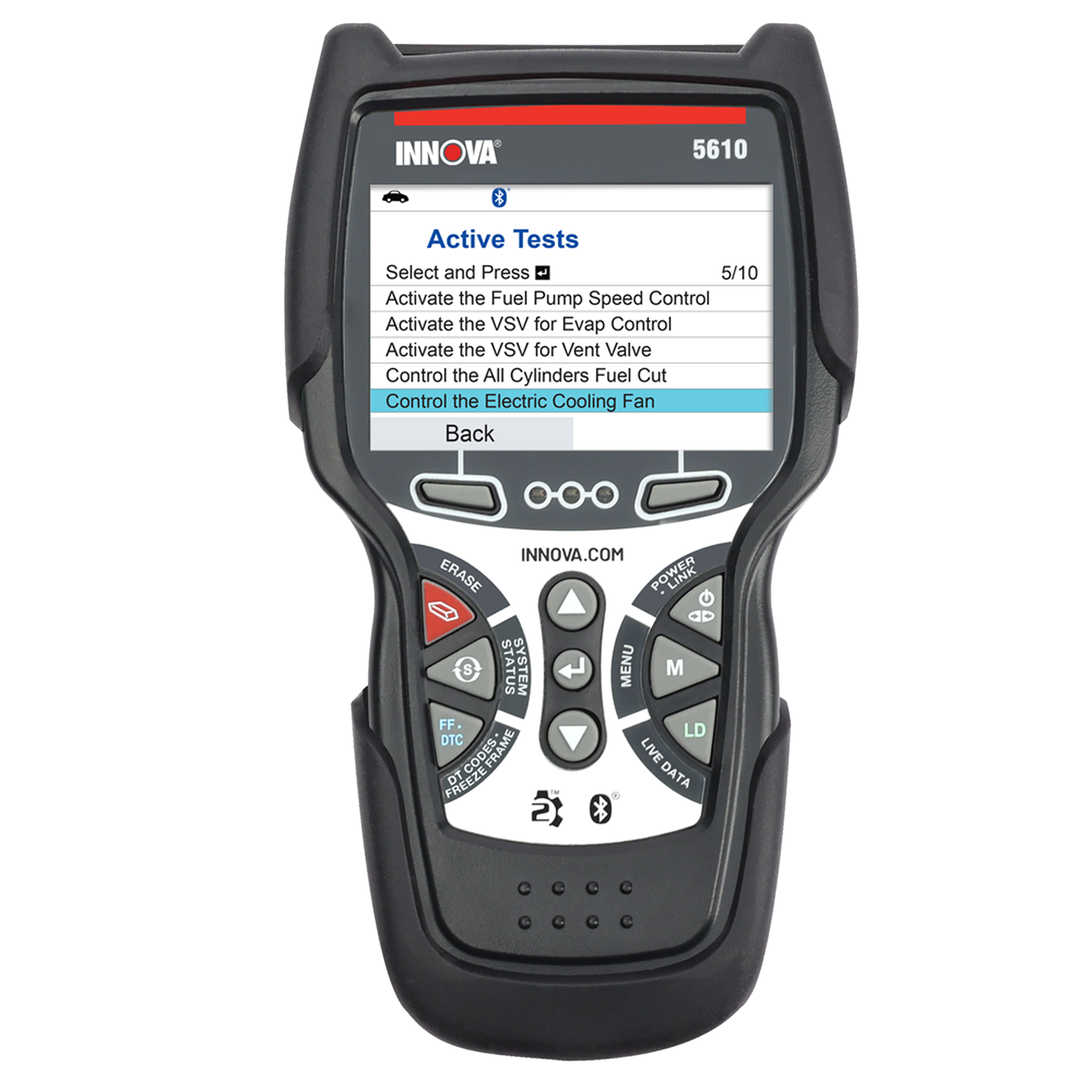
Some great examples are the Innova 5210, Innova 5610, and the Innova 1000 for something really simple. But, with all of these tools, you plug them into the universal OBD2 port which has been in every vehicle since the late 80s — except electric vehicles. The location varies by manufacturer, but usually it’s somewhere close to or under the steering wheel.
Once plugged in, the scanner or tool will read the information from the vehicle’s computer and diagnostic system, and it will tell you what’s wrong using a series of error codes. Some of those codes are universal while others are brand-specific.
But either way, the scanner will tell you what’s happening and you can take the information it provides and look up a proper fix, or take the vehicle into a local repair shop. You can also use the tools to run custom scans — the Innova 5610 does a unique all-system scan in one go — to check individual systems in the vehicle, like emissions.

Find the perfect scanner in 1 minute
Check Engine Holiday Checklist
Before you head out on that big trip you have planned, let’s go over the holiday checklist. If you’re not seeing that orange or amber check engine light, there’s no need to run a test, but you could still do so. That way, you can see if there are any errors flagged by your vehicle’s computer.

When you’re ready, run the tests and get the info, or follow this quick checklist to run through the various systems that could be responsible for the light being on.

First, start by assessing the fuel cap to make sure it’s not loose. If you recently filled the tank this might be an issue. Then, with your tool, run individual system checks including for the emissions, catalytic converter, mass airflow sensor and O2 sensor. If you have the 5610 you can do an all-systems test which makes the entire process easier.
The scanner will tell you what’s wrong, but you can also connect the Repair Solutions 2 app on your iOS or Android phone to get more information, fix recommendations from pros and order related parts.
Final checks include visual inspections to make sure nothing is loose or visibly damaged, including the undercarriage, and checking inside the engine compartment and the battery. Specifically, make sure the battery terminals aren’t loose and that the battery isn’t dead. You would think a dead battery would be obvious but sometimes the battery has enough charge to power the locks, windows, and lights, but not actually start the vehicle. Cold weather is bad for batteries, too.
Finding the Fixes to the Problem(s)
Without the right scanners, you’d basically be guessing what that check engine light means, and that’s not ideal. It could be something minor, like a loose fuel cap — you may have recognized that in the checklist — or something major like an emissions systems failure or a broken sensor. But the cause isn’t always obvious and that’s precisely the point.

Chances are, you’re in a rush to get out of the house and on the road and don’t want to wait around for parts, fixes, or technicians to get to the bottom of the problem. If you have no choice that’s one thing, but if you can find the issue and fix it yourself or communicate that to the local repair guys, everything will go smoother and faster.
Ignore the problem altogether and hit the road anyway, and you could be looking at even bigger problems later. Imagine if a $2,000 or less repair cost balloons to thousands of dollars? Nobody wants to see that happen especially during the holiday season. If you see the check engine light, take some time to sort through the checklist and use the scanners to find the issue. If it’s minor, you can take your trip. If it’s something bigger, put the trip on hold and take the time to get it fixed.
Explore Our Products

OBD2 Handheld Scanners

OBD2 Bluetooth Scanners

OBD2 Tablet Scanners

OBD1 Tools

Multimeters

Inspection Cameras
Have Questions?
Hop in the discussion board on our community site!
It's a place where we help each other answer questions. Like Reddit but for automotive lovers.

Looking for a car scanner?
Looking for a car scanner?
Take our quiz! It’s short, fun, and accurate.
Help Me Choose
