
Fix Advices
Using the Innova 5210 for Battery and Electrical Diagnostics
Written by Briley Kenney
July 15th, 2025
As an Amazon associate, we earn from qualifying purchases.
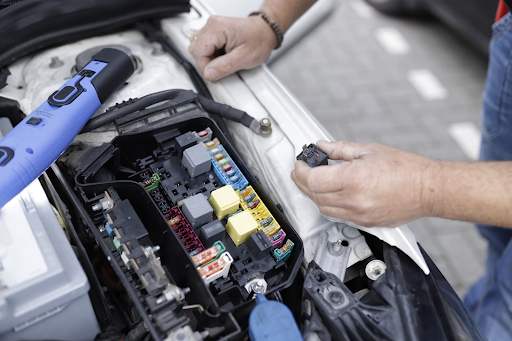
If your battery keeps dying, or you know there are electrical issues in your vehicle, troubleshooting is not as straightforward as pulling some fuses. You need a tool like the Innova 5210 and a multimeter. Here’s why.
- Innova 5210 Is Your Essential Tool for Diagnosing Battery and Electrical Problems
- Why the Innova 5210 Belongs In Every [Electrical] Diagnostics Toolkit
- Innova 5210: Key Features That Make the Difference
- How to Run Battery Diagnostics with the Innova 5210
- A Multimeter Alone Is Not Enough
- Real-World Examples: Stop Chasing Phantom Power Drains
- Are You Ready to Discover the Real Electrical or Battery Problems Under the Hood?
- FAQS: The Innova 5210 OBD2 Scanner and Electrical Diagnostics
When it comes to your vehicle, battery drain and electrical problems are just the tip of the iceberg. Parasitic draw, which describes the anomalous depletion of a battery through inordinate electrical usage, is usually the sign of another underlying issue. For instance, faulty electrical components, stuck relays, or failing alternator diodes are varying sources of parasitic draw — but not the only ones. The fix for these particular problems involves more than just swapping out a blown or malfunctioning fuse.
The related repairs can be costly and time-consuming, especially if you get it wrong the first time because of a misdiagnosis, which happens more often than you might think. To find electrical faults and for both battery and electrical diagnostics, you need some reliable, advanced tools. Yes, a multimeter to measure amperes in the electrical circuit can help, but it’s much less direct.
To truly delve into your vehicle’s electrical systems and find the root cause, you need a tool more like the Innova 5210, and when used alongside a multimeter, it’s the ultimate diagnostics setup.
Innova 5210 Is Your Essential Tool for Diagnosing Battery and Electrical Problems
Batteries eventually die. While a traditional lead-acid battery is meant to last three to five years, varying factors can lessen that lifespan. Common temperatures, especially while the vehicle is running, misuse or neglect, and even mechanical or electrical failures, can wear down a battery.

While some degree of power draw is expected and acceptable, anything above 50 milliamps for most vehicles is considered questionable. But measuring power draw and locating the actual source of that power usage are two completely different actions. More importantly, trying to find a parasitic draw source is like looking for a needle in a haystack without the right tools.
Power draws can be intermittent, sometimes refusing to reveal themselves until after a vehicle engine has been off for an extended period. Worse yet, they’re not always consistent, which means they can be difficult to replicate during testing.
Now, you’ve probably heard that testing for a parasitic draw means pulling fuses one by one and watching for current drops with a multimeter. That works, sure, but it’s slow, clunky, and often inconclusive. The truth is: a reliable diagnostic scanner can do more than just support your process — it can lead it.
That’s where the Innova 5210 scanner comes in handy.
Why the Innova 5210 Belongs In Every [Electrical] Diagnostics Toolkit
Going beyond advanced electrical diagnostics, the Innova 5210 helps bridge the gap between basic and entry-level code readers and professional-grade shop tools. Even better, it’s accessible, making the solution available at a price most DIYers can justify.

How so? It’s built for real-world electrical and vehicle diagnostics, ensuring you get the nuanced information you need to complete a repair, administer maintenance, or make a related decision, like when you need to enlist professional mechanics.
It’s especially helpful for:
- Tracking down the source of parasitic draws
- Identifying weak alternators or failing components, including malfunctioning batteries
- Catching sleeping modules that should be powering off
- Detecting electrical fault problems that contribute to excessive and intermittent power loss
Unlike most entry-level scanners or competitors, the Innova 5210 gives you a clear electrical picture that you can use, instead of a simple list of error codes.
Innova 5210: Key Features That Make the Difference
When you’re diagnosing vehicle issues, especially electrical problems, context is everything. Focus on the wrong data and you’re likely to misdiagnose the error. That could lead to more costly repairs, lost time, or even broken and malfunctioning systems elsewhere.

The Innova 5210 helps confirm the true source of the problem, such as when an alternator is undercharging, modules aren’t going to sleep as they should, or an intermittent failure is occurring in the system and being stored as a pending code. Best of all, it helps you identify this information quickly, more so when compared to not using such a tool or when using the wrong alternative.
Here are a few features you can expect from the Innova 5210 versus the competition:
| Feature | Innova 5210 | Basic Code Reader |
|---|---|---|
| Battery & Charging System Test | ✅ Yes | ❌ No |
| Life Data Readouts | ✅ Yes | ⚠️ Limited or none |
| Freeze Frame Data | ✅ Yes | |
| Enhanced System Scanning (ABS, etc.) | ✅ Yes | ❌ No |
| Readiness Monitor Status | ✅ Yes | ⚠️ Basic or incomplete |


Find the perfect scanner in 1 minute
How to Run Battery Diagnostics with the Innova 5210
Here’s a simple step-by-step workflow for diagnosing electrical issues with the Innova tool and a multimeter — the best combo:

- First, use the 5210 to scan the vehicle, reference the related error codes, and check both the battery and charging health.
- Next, pay attention to stored or pending codes in the BCM, ECM, and comfort modules. These will give you a better idea of the primary malfunction’s location in the system.
- Take note of readiness monitor flags that reset unexpectedly.
- Use the multimeter to test as necessary, checking for egregious power draw and also to double-check when the problem has been fixed.
A Multimeter Alone Is Not Enough
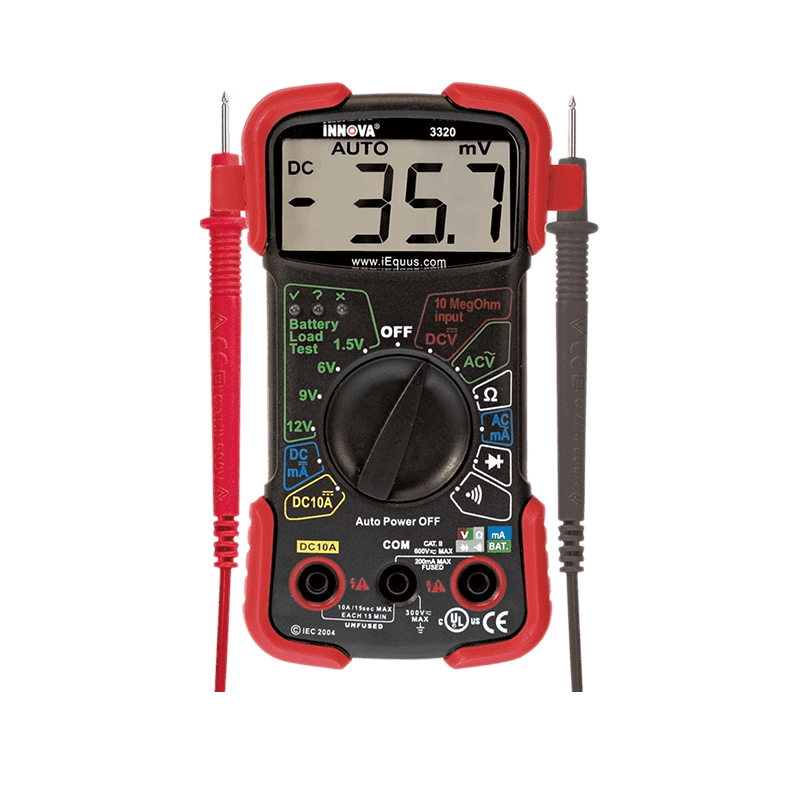
You have to know that a multimeter, alone, is more like a compass. It can guide you in the right direction, but you still need a map to see exactly where you are, or in this case, precisely where the root of the problem is. Think of a multimeter as a compass and the Innova 5210 as a map.

The multimeter(s) will give you numbers. The 5210 will give you direct answers. You can use it to:
- Identify faulty diodes, stuck relays, or malfunctioning modules before they drain critical systems.
- Cross-check trouble or error codes with anomalous voltage behaviors.
- Quickly discern if the charging system is causing the problem.
For any kind of vehicle error diagnosis, especially electrical issues — intermittent or not — a scanning tool will prevent hours of guesswork. Nobody likes wasting their time. That’s more time you could be relaxing, watching your favorite movies or shows, spending time with family, or on whatever hobby you love to do in your free time.
Real-World Example: Stop Chasing Phantom Power Drains
Instead of taking our word at face value, here are some direct quotes from customers who have used the Innova 5210 to diagnose related electrical problems:

“I thought I had a parasitic draw. Turned out, the alternator wasn’t charging enough at idle. The Innova 5210 flagged it instantly. Saved me hours of fuse pulling.” — DIY Mechanic, Verified Owner
“5210 let me check not just codes but also the battery and charging system health. Turns out my glovebox light was staying on because the latch sensor failed. I never would’ve guessed that without the readiness data.” — Weekend Tech, Honda Accord Owner
Are You Ready to Discover the Real Electrical or Battery Problems Under the Hood?
The Innova 5210 gives you the data and confidence to fix the problem right the first time. If you’re ready to diagnose your problems quickly and effectively, here’s what you should do next.
Learn more about the Innova 5210 in our in-depth parasitic draw guide and decide if it’s the right tool for you. If you already know what you need, you can opt to buy the Innova 5210 right away and have it added to your diagnostics kit.
FAQS: The Innova 5210 OBD2 Scanner and Electrical Diagnostics
How much is the subscription cost to use the Innova 5210 and the mobile app?
There are no subscription fees involved in any way. You will need to purchase the Innova 5210 scanner, of course, but that’s it. Access to the mobile app is free.
What does the Innova 5210 offer that comparable models don’t?
For starters, it’s simple to use, so accessible to beginners and novices, but provides enough nuanced data to warrant professional use, as well. The 5210 is versatile and reliable, and because it supports most newer OBD2-compliant vehicles from 1996 on, there’s a high degree of compatibility.
The biggest support feature, of course, is access to the RepairSolutions2 app, which is essentially a guided library of DIY maintenance and repair advice. You can look up specific how-to guides, penned by experts, right on your smartphone. The app can also help you find and buy repair components, check dealer and safety recalls, and much more.
Do you need a smartphone to use the Innova 5210?
You will need a smartphone to access and use the RepairSolutions 2 app. However, if you have no interest in that service, you can use the 5210 as a standalone scanner. You do not need a smartphone to access the built-in scanner functions.
What is live data, and why does it matter?
Live data allows you to see vehicle specifications and statistics in real-time, mostly related to mission-critical systems. For example, you can check RPMs, oil temperatures, engine temperatures, battery health, and so on.
When it comes to battery and electrical concerns, the real-time operating data can help you explicitly pinpoint what system or component is malfunctioning.
What kind of multimeter should I use with the Innova 5210?
Pretty much any modern digital multimeter will do. The biggest thing you need to watch for is amp capabilities, because that allows the device to measure electrical currents or circuits in amperes. Again, most modern and newer multimeters include support for this, so they should not be difficult to find.
Explore Our Products

OBD2 Handheld Scanners

OBD2 Bluetooth Scanners

OBD2 Tablet Scanners

OBD1 Tools

Multimeters

Inspection Cameras
Have Questions?
Hop in the discussion board on our community site!
It's a place where we help each other answer questions. Like Reddit but for automotive lovers.

Looking for a car scanner?
Looking for a car scanner?
Take our quiz! It’s short, fun, and accurate.
Help Me Choose
